Supplier feed intake
Receive catalog files or connected product data from configured supplier sources.
Business purchasing, government procurement, reseller programs, and nationwide fulfillment.
This page explains the catalog-control side of ALMS Marketplace: supplier file intake, mapping, indexing, product readiness, images, categories, shipping fields, lead times, pricing inputs, validation, and large-catalog operations.
The page focuses on the parts of catalog operations that matter at scale and makes them understandable to buyers, partners, and suppliers.
Receive catalog files or connected product data from configured supplier sources.
Map supplier columns into marketplace fields such as SKU, title, description, price, cost, brand, lead time, and shipping data.
Build a catalog index that supports fast search and browsing across a very large product set.
Track image coverage and keep products without usable imagery from weakening the storefront experience.
Normalize supplier categories, brands, manufacturers, and attributes into a cleaner marketplace structure.
Identify missing, malformed, duplicate, or incomplete records before they create frontend problems.
Use resumable or rerunnable job patterns for large imports, exports, and catalog processing.
Show indexed products, mapped records, missing images, pending review, and source health at a glance.
The demo is built to feel like a real product-data operations screen: searchable records, data quality, image state, supplier source, and publish status.
A new source file needs mapping, validation, indexing, and image/data review before products are exposed.
Products missing images or core data need to be held back or routed for review instead of appearing broken.
Existing supplier files need scheduled refresh, price/inventory updates, and recovery when a job fails.
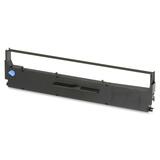
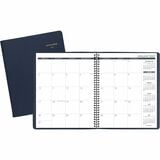
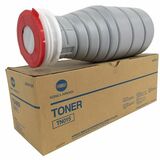
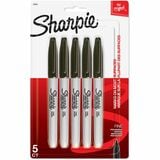
A bounded live product section turns catalog-management language into something concrete: current product images, links, and customer-visible pricing when available.
Continue to Integrations & Connections to see how supplier and business-system data reaches the catalog.
Search the indexed catalog by product, SKU, brand, category, specification, packaging, UPC, GTIN, or manufacturer part number.